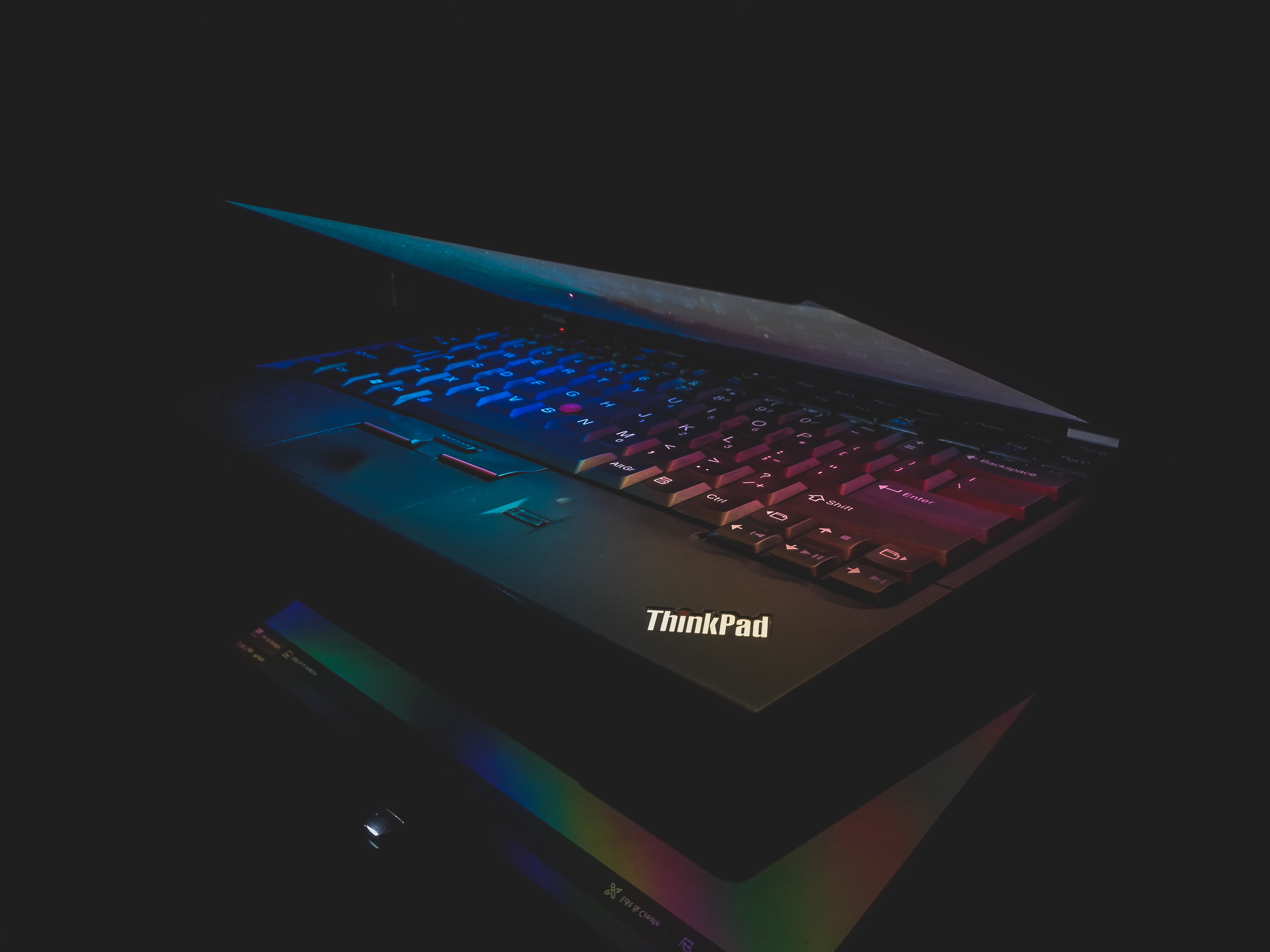
This is perhaps my third affordable ThinkPad E Series laptop and the Second ThinkPad E14. And neither the laptops nor this review has been sponsored, so this is just an opinion from my experience as a small business buyer and user.
Although there are dozens of laptop models out there, finding a model that fits your need and budget can be quite a challenge. Especially if you are a business consumer looking for a laptop that can survive the angry keystrokes of a disgruntled employee to the reliability desires of your asset manager. And this creates a sweet spot for the ThinkPad E Series line-up, which is actually a set of affordable business laptops at consumer pricing.
Although the E series is affordable compared to premium business laptops including the ThinkPad T or X series and the Dell Latitude 5000 and 7000 series, it is quite expensive in comparison to consumer laptops in this price range. In this price range you can get the Lenovo Yoga or Dell Inspiron series with all the bells and whistles but the ThinkPad E14 only offers the basics and reliability like any other business laptop. Maybe you can now comprehend the title.
Moving on to the choice of laptop model and specifications. Being a consulting firm, our routine work only requires Microsoft Office and no demanding software. So our choice of processor was definitely the i3-10th Generation, which is grossly under-estimated and under-appreciated for the level of tasks it can handle. It easily handles about 10,000 rows of Excel data crunching and Microsoft Power BI Visualizations from static spreadsheets.
This processor when paired with the PCI-NVMe SSD and higher speed 8 GB RAM at 2667 Mhz worked pretty well for our use case. Since most of our team does not work in remote conditions, we let go of the backlit keyboard and it enabled us to go with the base model of E14 that offered i3-10th Gen – 256 GB SSD, 4 GB RAM 2133 Mhz with Windows 10 SL. So the first and the only modification was swapping the RAM for higher memory and speed. This selection turned out to be quite pocket friendly at INR 43,000 or about USD 590 including the 18% tax for which businesses can receive a credit.
Laptop Built Quality
First of all the exteriors scream ThinkPad like and unless you are a ThinkPad or IT Enthusiast like myself, you would be unable to differentiate between the E14 and T14 as the only observable difference is the hinge and location of vents. As you open the lid you will notice that you cannot open it with one hand and you should not worry about it as MacBook is perhaps the only one so far that has managed to get this completely right.
Next is the fingerprint reader integrated in to the power button for convenience and it is a bit surprising as it is located next to the track-pad on higher priced models. And finally, you have the camera with ThinkShutter that has a tiny dot of the ThinkPad red indicating that the shutter is closed. And finally you have the ThinkPad keyboard with the iconic red TrackPoint, which is perhaps the only thing that has kept me from moving to the MacBook.
The Keyboard
If you have already used a ThinkPad keyboard, you know what to expect. But one things that I have noticed after using number of ThinkPads is that the visual appearance of the color tone and key surface texture vary unit-to-unit. It may be because of the minute variations in the Plastic Master batch used to mold the keys but its nothing to be concerned as it does not affect the typing experience.
If you have not used a ThinkPad keyboard before let me list the things that are unique: the key travel, tactile feedback and the shape as well as contour of the keys that seem to match your fingers! And the combination of the above three offers an unparalleled typing experience. Perhaps another thing that has kept me from moving on to the MacBook.
The TrackPoint
Since I believe that the TrackPoint is not getting enough attention and appreciation lately, I decided to include a separate paragraph. Starting with the basics, each commute of your hands back and forth between the keyboard and track pad costs a couple of seconds and this commute is entirely eliminated by the TrackPoint! This might not seem like a lot to you but for consultants that bill by the hour and need to constantly shuffle text and movement on Excel and PowerPoint that is a lot of value, perhaps invaluable! Another benefit is the boosted ability to perform repetitive tasks with the mouse click buttons just below the keyboard. If you are an avid excel user, you will understand what I mean and if you cannot then maybe you just do not need this convenience.
TrackPad
To be honest, I barely use the trackpad since I am habituated to the TrackPoint for too long. But on a casual observation, I feel that the Windows trackpads have improved a long way and this one does represent all such improvements. Since the screen has 16:10 aspect ratio, which means that it is taller, providing good space for the trackpad and compensates for placement of the three mouse buttons atop the trackpad. The accuracy is good but one very important is the material, it is kinda matte and way too pleasant to feel than the ones on consumer laptops in this price range.
All functions including two finger scroll, two finger tap and press are pretty impressive when you consider the notorious reputation of most trackpads. However, there is a limitation is that you cannot click close to the top edge as it is a diving board mechanism, which is necessitated by the TrackPoint buttons on the top-edge.
Mediocre Display
If you are coming from a HD TN panel then you will appreciate this FHD IPS panel. This works well for a business user, but if you are really picky or into graphic editing then the sRGB reproduction and back light bleeding requirements are far off from what you will get. And another thing that I did not like about the display is the 220 nits brightness, which restricts your usage to indoors. With this brightness, it makes it difficult to work even while traveling in a car, outdoors is a pretty far fetched idea. And when it comes to displays, only a few displays are at par with Apple and in that league of laptops, MacBook is the more affordable option! So overall, an acceptable display for average office usage and occasional recreation like watching movies, although I use my iPad for media consumption.
Video Conferencing
Here is a pro tip, do NOT even bother about this unless you are considering a MacBook Pro or ThinkPad X1 Carbon because none of the laptops can compete with the quality that you can generate with the few extra accessories. For instance, the inbuilt microphone will always be far off from an USB condenser microphone and even an entry level $75 webcam will perform better than the inbuilt camera on any laptop. And with the amount of time that we spend over video conferencing in Post COVID19 era, I do NOT think that ROI should be a matter of concern.
Personally I use the Samson Go Mic to record my Presentations and also for Webinars or Zoom calls as the -10dB mode allows to cut off any sound or noise that originates beyond 6/8 inches of the microphone! In terms of the camera, I am contemplating between the Logitech C922 and C930 – the reason I had not yet invested on the camera as until recently the iPad was my go-to device for Zoom Calls.
Battery
Just as the Video Conferencing concern, I will not even bother writing details. One full charge lasted 3 hours 45 minutes of Video conference over Google Classroom – of course you can consider the extra battery drain from the USB condenser microphone but that would account for a loss of 15 minutes at most.
So the bottom line is that you have to carry a charger – period.
Speakers
And I do have complain here! Although it has Harmon Kardon sound, the sound does seem to tear off even at lower volumes on the video calls. But overall, the sound quality, including the balance of low-mid-high, and the volume is fair enough as long as your expectations are not too high.
Performance
As mentioned earlier, this laptop can easily handle MS Office based work and if you are looking for activities that require higher processor power, you can always opt for the i5 option. Moreover, the RAM is up-gradable but ensure that the memory and speed are compatible with the choice of your CPU. When it comes to peak performance, I have had days with 8-10 hours of intense work during which I did hear the fan kick-in a few times. Also, the built-in Lenovo’s intelligent cooling and fan management system seems to do its job correctly.
In a single line – When it comes to handling tasks, you can expect this laptop to perform at par with its rich siblings
Key Factor
Unlike its more expensive siblings this ThinkPad E14 model offers an i3 variant, which makes the entry level price really affordable. And this is a boon, especially for companies that do NOT have process intensive tasks.
Durability
Too bad we cannot to an accelerated aging test, like the one we do on Concrete, and only time can tell us. But for reference, I used my last ThinkPad E470 for 30 months before selling it for 30% of its cost. However, at the time of sale it was in fairly decent condition and would have survived another 30 months of normal office use. Unless your work demands frequent jumps in processing power, you can live with this for a few years. And if you get bored soon, like myself, having used about 7/8 laptops in last 10 years, then no laptop can perhaps endure!
And if you want to know about the logic and basics that you need to consider while purchasing a laptop, you can access our comprehensive guide here.
 Savvy Munshi