The reason I am writing this review is that there is not much info about Lenovo ThinkPad E series available on internet. Most tech channels review enterprise grade X / T series which are expensive for SMBs. There is also an intermediate L series, reviews of which are almost non-existent. I will try to review an L470 or 480 later in 2018.
Recently I got an E470 to test it for office use and check feasibility for mass purchase. The model reviewed has i3 – 6006U – 8 GB DDR4 – 256 GB M SATA SSD – Windows 10 Home SL – Fingerprint reader and TPM module. The specs are decent for something that costs just above EUR 600.
Review:
Storage: SSD (Solid State Drives) is similar to flash on mobile and does not have moving parts. In case of drops, the chances of damage are less, whereas in terms of read/write speed, it can be compared to the speed of light, if HDD is the speed of sound. The booting speed is at par or better compared to MacBook Air running latest OS Sierra. Usually an SSD takes 12 to 17 seconds to boot compared to 45+ seconds on HDD. It also boosts page filing and reduces start-up time for applications significantly.
Memory: Get at least 8 GB RAM for multi tasking with browsing and MS office applications. When the system runs out of RAM it starts pushing to page file memory which operates via storage. Since storage speeds, even with SSD are far slower, the data retrieval will suffer resulting in a lag while switching between applications or browser tabs.
Processor: After being on i5, I was sceptic about i3 – 6006U. But the performance has been decent. MacBook Air i5 with multiple (15+) browser tabs open along with office applications, the cooling fan would kick-in at high speeds. Whereas, during multi-tasking with i3, I am yet to hear the fan. In laptops, disregard to speeds, the performance is peaked by manufacturers to control temperature. So an i5 processor without poor cooling would not allow you to extract full performance. Overall, i3 handles office work with some lag while switching applications with 5+ files open on MS Word and Excel.
Weight and Built: Seems heavier than 1.8 kilos. Not recommended if you travel frequently and are a fan of messenger bags. Since I am testing this for office staff at HQ, I am not bothered. Overall built seems sturdy, the palm rest does not bend as in case of some laptops in this price range. However, the top is a finger print magnet and needs to be cleaned frequently. The hinge is sturdy and tight, you would be unable to lift it single handed. No keyboard impression on the screen yet.
Durability: Unlike the T/X series this does not get MIL-Spec certification. But it goes through Lenovo’s pressure, temperature, vibration, dust and frame twist tests. So definitely, this can take on more bang than consumer laptops. The plastic seems to be quite different from the T/X series. May be Poly Carbonate with some metal chassis, definitely not aluminum given the heavy weight.
Design: ThinkPad black, but the chamfered corners and sloping bottom edges kill the ThinkPad DNA. There is plenty of ventilation at the bottom and behind the hinges. The screen opens up 180 degrees flat but I have not found any utility for this feature yet. The bottom is raised slightly with rubber supports on the back to facilitate ventilation.
Ports: No VGA port. The world has moved on to HDMI so you might not miss it. However the world has also moved on to USB – C and you will miss it in the years to come. Also, this does not feature any docking system as the L – T – X series, but again, small businesses do not require it. It has an ethernet port, 1 – USB 3.0 and 2 USB 2.0 ports, 3.5 MM jack, SD Card reader and Lenovo proprietary charging dock with charge status indicator light.
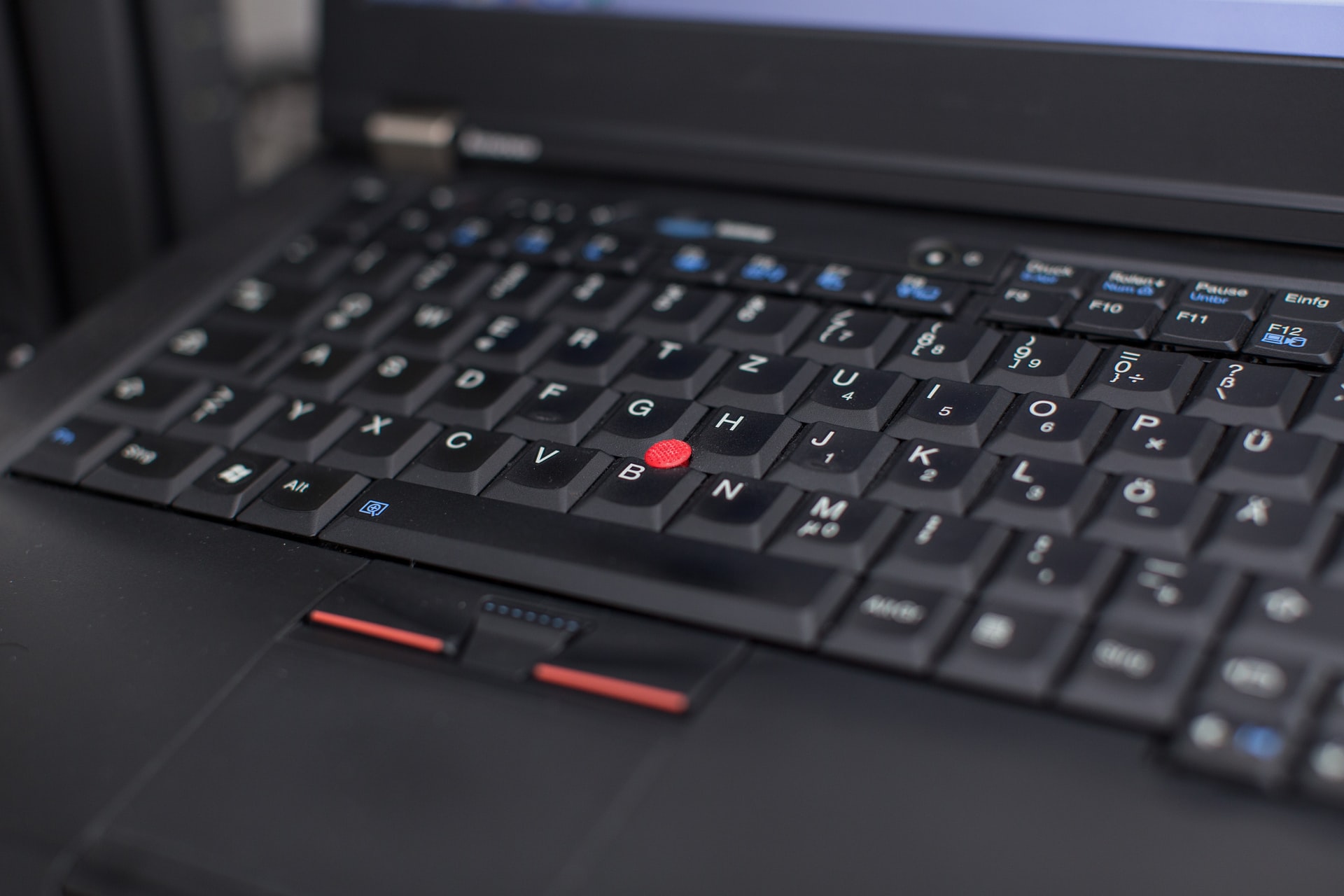
Keyboard: The power button has an-inbuilt green light indicator. The keyboard is a NON-backlit spill resistant keyboard. This does not have drain holes at the back, so be careful this is a spill ‘resistant’ version. In case of a spill, shut it down immediately and do NOT restart unless the liquid has dried off completely. The track point is decent, but after coming from an MBA – the track pad feels cheap and less sensitive. The keyboard does feel cheap compared to T / X series but the tactile feedback is good and has a decent travel distance. Definitely the best package you can get at this price.
Battery: By adjusting the performance to level 2 of 4 on battery, I did manage to get little above 6:30 hours with office applications and internet browsing. This has an inbuilt battery so you would not be able to hot-swap batteries. But the battery life is fairly decent and I do not find the need to feel disappointed unless you are travelling across remote construction sites or offshore oils rigs.
Display: The display is an HD – TN – backlit display. There is none or very miniscule backlight bleeding. But I do notice some consistent noise on the display. Maybe because I was used to the retina display of the iPad for a couple of weeks before switching to this laptop. Overall, it is good for the price as most laptops in this range suffer backlight bleeding at the corners.
Operating System: For SMB users operating Office 365 and SharePoint, home or pro will not make any difference. Unless you are connecting to a company server and using remote control, there is no need to spend an extra 50 euros on upgrading to windows 10 pro.
Warranty: One year carry in. Can be upgraded to 1+2 or 1+3 years for a couple of euros.
Cons: Non-backlit keyboard. With a couple of extra euros on the price, this feature can be added.
Future: Sine Lenovo is upgrading their line-up they might soon launch a E480 with full HD panel and i3-7100U which has some improvement compared to the i3-6006U processor in the current models.
Overall this offers the most bang for the pence, as apart from this only Acer Swift offers a pre-loaded SSD model in this price range. Also you get an above consumer grade built quality.
But if you are spending 200 Euros more you can get the L series with equivalent specifications, boasting a better build quality, MIL-Spec certification and more ThinkPad like design.
And if you seek to know about the basics that you need to consider while purchasing a laptop, you can access our comprehensive guide here.
 Savvy Munshi